
Astrophotography System-to-System Comparison Tool
Modern astrophotography systems are complicated, and simple specs rarely tell the full story. This browser-based utility is designed to compare two imaging systems side by side and show how differences in optics, cameras, filters, seeing assumptions, and imaging strategy affect image scale, field of view, sampling, and relative imaging efficiency.
Wondering how a change in camera could help your imaging?
Or a faster scope?
Perhaps a better filter system or dark site?
All of these can be answered here….
Viewing note
This builder is usable on smaller screens, but the full layout is easiest to view and work with on a desktop or laptop display.
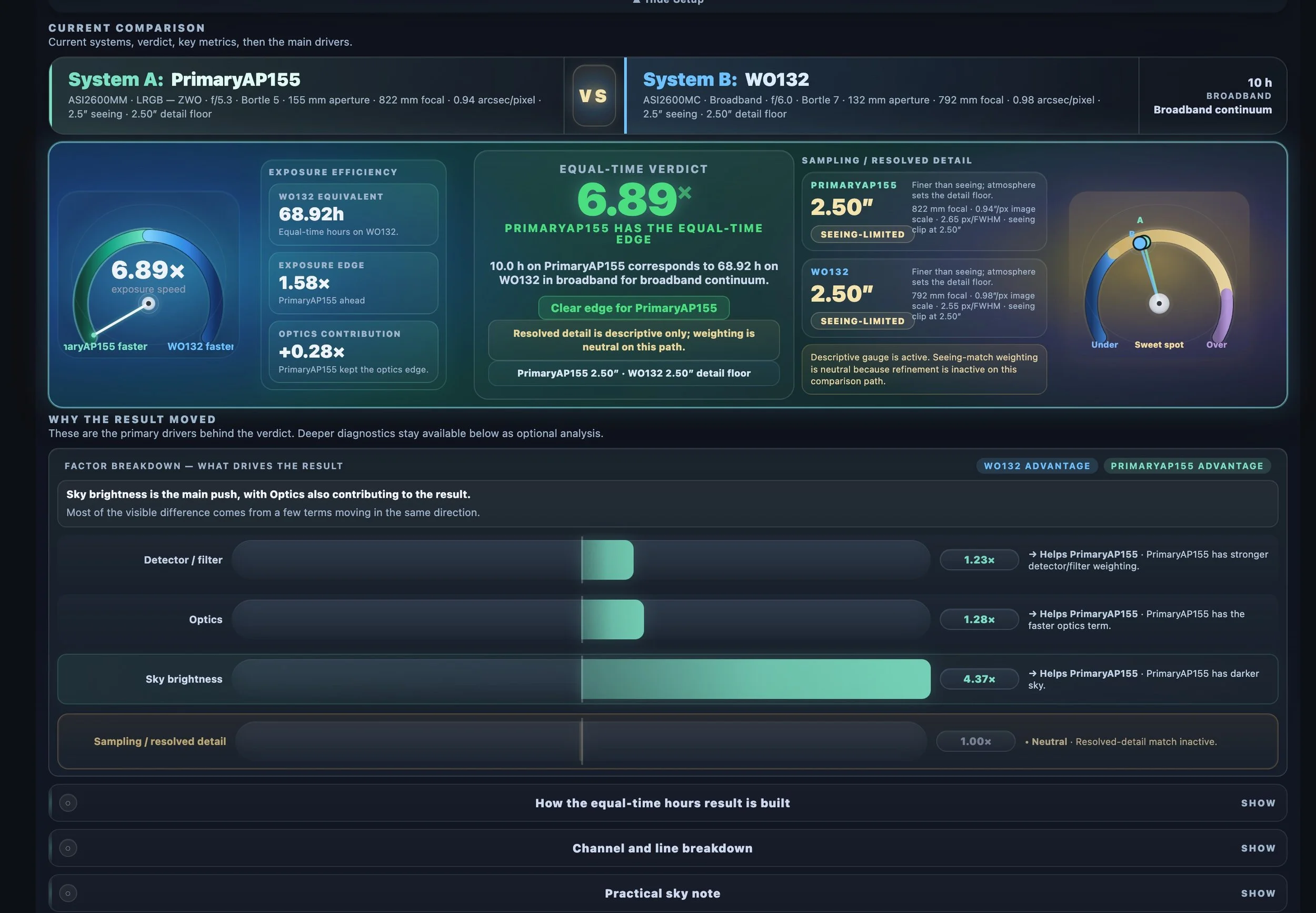
Comparison Utility
What This Tool Does
This browser-based utility compares two astrophotography imaging systems side by side and helps reveal how differences in optics, cameras, filters, seeing assumptions, and imaging strategy affect image scale, field of view, sampling, and relative imaging efficiency.
Video Overview
Watch the Tool Walkthrough
This overview video introduces the Astro Systems Comparison Tool, explains what it is designed to do, and shows how to interpret the output. It is the quickest way to understand the workflow, the main verdict area, and the deeper analysis sections built into the tool.
Comparison Scope
What It Compares
Rather than comparing one specification at a time, this tool evaluates two complete imaging systems on shared terms. Depending on the comparison path selected, it can help assess image scale, field coverage, sampling context, and relative efficiency under equal-time or equivalent-time assumptions.
It is especially useful when comparing native versus reduced systems, mono versus OSC paths, different camera pairings, and systems that may look similar on paper but behave quite differently in practice.
Practical Applications
Typical Use Cases
- Comparing two scopes to see whether a new purchase creates a real advantage
- Evaluating how much a reducer changes the balance between scale and speed
- Checking whether a camera change materially improves sampling
- Exploring broadband versus narrowband tradeoffs
- Understanding whether a new system fills a real gap in an existing lineup
Workflow
How to Use It
- Enter or load the parameters for System A and System B.
- Select the comparison path and imaging context you want to evaluate.
- Review the main verdict area first.
- Use the supporting panels and charts to understand why the result moved.
- Adjust assumptions and compare again as needed.
Interpretation
How to Read the Results
The output should be treated as structured decision support, not as absolute truth. One system may lead in one area and lose in another. A setup may be faster, while another offers more favorable scale or field coverage. In many cases, seeing can dominate the result enough that optical differences matter less than expected.
The supporting explanation panels are there to show not just which system came out ahead, but why.
Reality Check
Notes and Limitations
This tool is based on modeled assumptions and structured comparisons. It does not capture every real-world variable involved in imaging. Mount performance, guiding stability, transparency, framing, calibration quality, and processing choices can all influence practical results. The best use of this utility is as a disciplined comparison framework, paired with practical experience and judgment.
Interactive Section
Launch the Tool
Use the comparison utility below to evaluate two astrophotography systems side by side. Start with the major optical and camera parameters, then refine the assumptions as needed to explore how the result changes.
Feedback and Suggestions
Any feedback or suggestions you might have for improving the tool can be sent here: Contact@CosgrovesCosmos.com