Astro Spectral Explorer
Viewing note
This builder is usable on smaller screens, but the full layout is easiest to view and work with on a desktop or laptop display.
Do you really understand what your rig is seeing?
You already know spectral response matters in astrophotography. Your target, sky glow, local light pollution, filters, camera sensor, and OSC Bayer response all have spectral signatures that shape the data you capture.
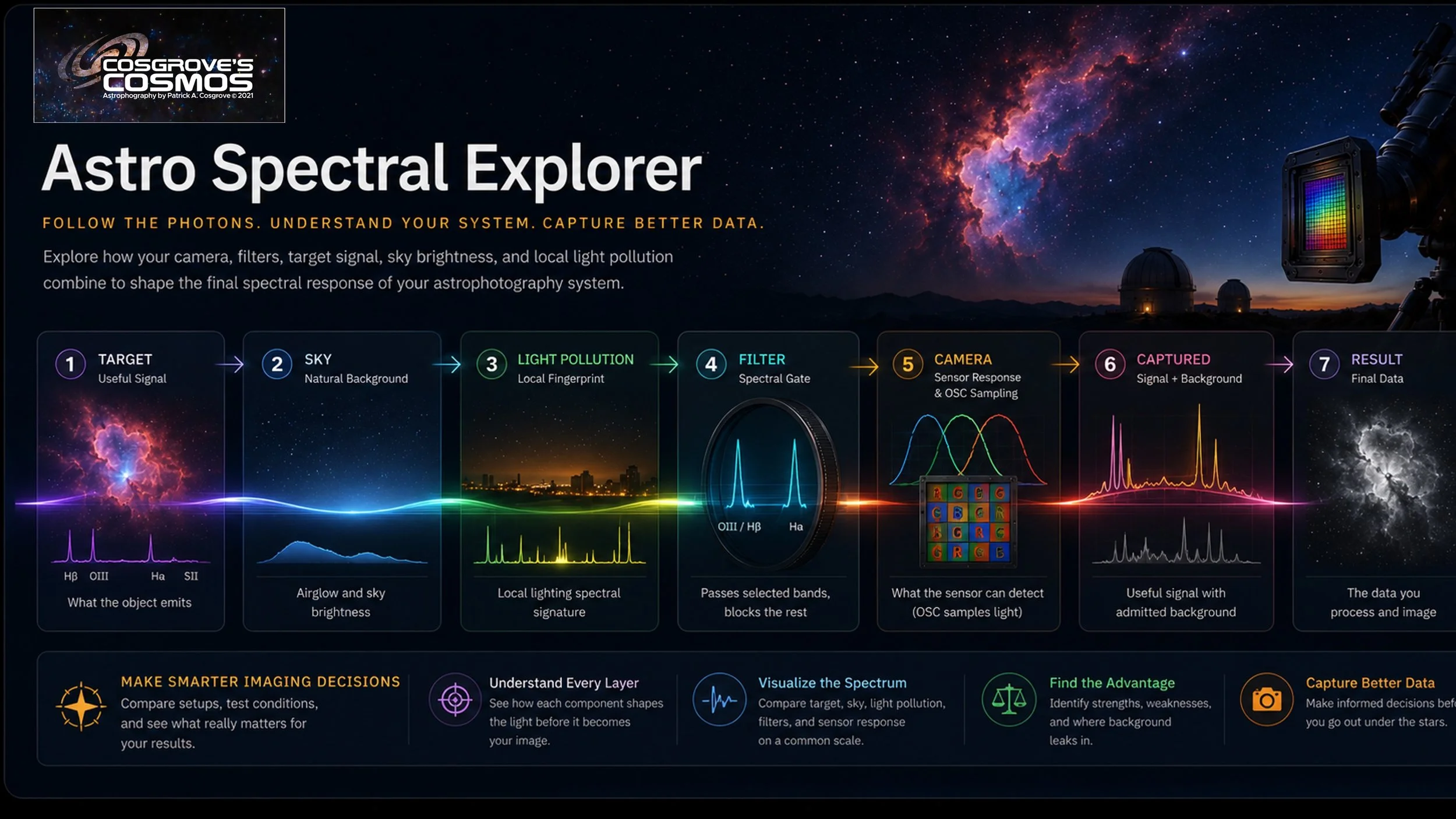
Astro Spectral Explorer makes that hidden chain visible. It uses the kinds of cameras, filters, and imaging configurations astrophotographers actually use — not just abstract theory — to show how the pieces interact before light becomes an image.
What is it?
An educational spectral explorer that follows the photon chain from target light and sky background through filters, sensor response, OSC Bayer sampling, and final captured data.
Why should I care?
Because your image is not just the object. It is the object, the sky, the light pollution, the filter, and the camera response all interacting together.
What is it not?
It is not a system-ranking tool, buying guide, or calibrated SNR calculator. It is a visual teaching tool for understanding spectral behavior.
Start with the default setup, then change one thing at a time: target, sky brightness, light pollution, camera, or filter.
Follow the photons from the object through sky glow and local light pollution.
See what the system passes through filter windows, sensor QE, and OSC Bayer response.
Understand the result by seeing where useful signal survives and background leaks through.
Relative educational model. Not a calibrated exposure-time or SNR calculator. Best experienced on a desktop or laptop display.